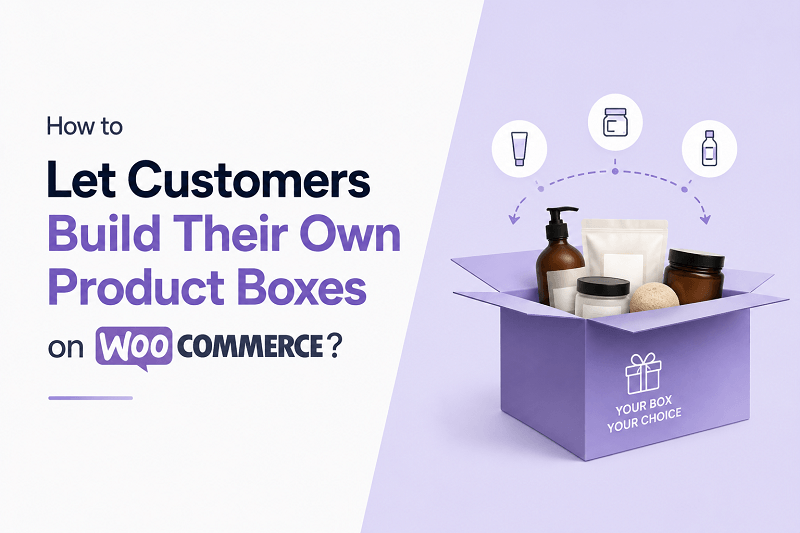
Selling fixed product bundles worked well a few years ago. But customer behavior has changed a lot now. People want to be able to choose the flavors, the colors, the size, additional accessories, or even combinations that match what they need. This is why pre-made bundles don’t always work, because what you choose might not always be what they want.
Once the need arose to provide customers with customizable product boxes, that is exactly when the product boxes plugin became popular in WooCommerce stores. Boxes related to snacks, skincare, gift hampers, or even gaming accessories were a hit, and customers finally got to create their own bundles with 100% control.
Another thing noticed was a rise in the average order value, because, due to added freedom, customers would end up adding even more products to their boxes. For all WooCommerce store owners, this opened up a huge opportunity.
If you have been wondering how stores let customers mix products together in one customizable package, this guide walks through the process in a practical way.
Why Build-Your-Own Product Boxes Are Growing Fast
Modern shoppers do not always want “one-size-fits-all” bundles.
Think about these examples:
- A customer wants six different snack flavors instead of one flavor repeated.
- Someone buying skincare products may only want items suitable for sensitive skin.
- A gaming store customer may prefer customizing their accessory kit.
- Gift buyers usually want more personal combinations.
This is where mix and match products WooCommerce setups become useful.
Instead of forcing shoppers into rigid product bundles, stores allow customers to create personalized product boxes directly from the product page.
That flexibility improves customer satisfaction while helping stores sell more items per order.
What Is a Mix and Match Product Box?
A mix-and-match product box is a customizable bundle where customers can choose products themselves.
For example:
| Product Box Type | Customer Selection |
| Snack Box | Choose 10 snacks from 50 options |
| Beauty Box | Select skincare and makeup products |
| Coffee Bundle | Pick different coffee flavors |
| Baby Box | Build custom baby-care kits |
| Pet Box | Choose toys, food, and accessories |
Instead of purchasing a fixed package, users build their own.
That is the core idea behind the functionality of the WooCommerce mix and match products by Extendons.
Why Customers Prefer Custom Product Boxes
There are several reasons customizable bundles perform better than static bundles.
Better Shopping Experience
Customers feel more involved in the buying process.
Less Product Waste
They avoid receiving products they do not want.
Higher Perceived Value
Custom bundles feel more premium and personalized.
Better Gift Purchases
People love creating personalized gift boxes.
This flexibility often leads to higher conversions because shoppers feel they are getting exactly what they need.
Industries Where Mix and Match Works Extremely Well
Custom product boxes are not limited to one niche.
Some industries benefiting heavily include:
- Food and snacks
- Cosmetics
- Coffee stores
- Subscription boxes
- Clothing accessories
- Health products
- Gift stores
- Gaming merchandise
- Pet supplies
Even small WooCommerce stores are now adopting mix and match products WooCommerce systems because customers increasingly expect personalization.
The Simplest Way to Add Product Boxes in WooCommerce
Technically, you could try building a custom bundle system manually.
But honestly, it becomes complicated fast.
You would need:
- Product selection logic
- Quantity controls
- Pricing calculations
- Variation handling
- Cart compatibility
- Inventory syncing
- Frontend design work
That is why most stores use a plugin instead.
Getting a WooCommerce mix and match products plugin by Extendons can be a practical solution because it simplifies the entire process without needing custom development.
Features That Matter Most in a Product Box Plugin
Not every plugin handles custom boxes properly.
The better setups usually include features like these.
Flexible Product Selection
Customers should be able to choose products easily without confusion.
Quantity Limits
Store owners may want:
- Minimum selections
- Maximum selections
- Fixed item counts
Example:
“Choose any 6 products.”
Dynamic Pricing
Pricing should update automatically as customers add products.
Variation Support
Customers may want different sizes, flavors, or colors.
Mobile-Friendly Layouts
Most bundle shopping now happens on mobile devices.
Inventory Compatibility
Stock levels should update correctly for included items.
A proper mix and match products WooCommerce setup handles all these things smoothly.
Common Ways Stores Use Product Boxes
There is no single format for customizable bundles.
Here are some popular approaches stores use.
Fixed-Price Boxes
Customers choose products while the total price stays fixed.
Example:
“Build Your Snack Box for $29.”
Dynamic Pricing Boxes
The total changes depending on selected products.
Example:
Premium items cost more.
Subscription Style Boxes
Customers build recurring monthly bundles.
Gift Bundle Builders
Shoppers create personalized gift packages.
This flexibility is one reason WooCommerce mix and match products functionality continues growing every year.
Things That Make Product Boxes More User-Friendly
A lot of stores focus only on functionality but forget usability.
That is a mistake.
The easier the process feels, the more likely customers complete purchases.
Use Product Images Clearly
Customers should immediately recognize products visually.
Show Remaining Item Counts
For example:
“You have selected 4 of 6 items.”
Keep Layouts Clean
Too many complicated options overwhelm users.
Allow Quick Editing
Customers should easily remove or swap products.
A clean interface makes a huge difference.
Why Custom Boxes Increase Average Order Value
This is honestly one of the biggest advantages.
When customers build bundles themselves, they tend to explore more products.
That naturally increases:
- Cart value
- Product discovery
- Cross-selling opportunities
- Upsells
Instead of buying one item, shoppers often purchase multiple products to complete their box.
Stores using mix and match products WooCommerce systems regularly notice customers spending more per order compared to standard product pages.
Mistakes to Avoid When Creating Product Boxes
Some WooCommerce stores make the process unnecessarily difficult.
Here are common mistakes.
Too Many Choices
Giving customers 300 product options usually creates decision fatigue.
Poor Mobile Experience
If the builder is clunky on phones, conversions drop fast.
Confusing Pricing
Customers should always understand how pricing works.
Slow Loading Pages
Heavy bundle pages can hurt performance.
Complicated Selection Rules
Keep instructions simple and obvious.
Good product boxes feel smooth and intuitive.
Product Box Ideas for 2026
Stores are getting more creative with custom bundles now.
Popular trends include:
- Build-your-own skincare routines
- Pick-your-flavor protein bundles
- Personalized stationery kits
- Coffee tasting packs
- Gaming accessory bundles
- Seasonal holiday gift boxes
- Wedding favor packages
These experiences feel more interactive than traditional shopping. The functionality of a WooCommerce mix and match products plugin had become unmatched and very valuable to all store owners.
Final Thoughts
Custom product boxes are the trend today, yet at the same time, they have become so much common that it simply wouldn’t make sense for you not to utilize it. The customers absolutely love having control over building their own custom product box.
You basically just hand them control over building their gift boxes, subscription-based product boxes, foot item boxes, or any other customizable kit boxes. As long as your mix and match products WooCommerce plugin helps you build proper boxes, you will see a noticeable boost in your average order value, and your customers will be able to discover even more products.
And now you don’t even have to worry about building customizable boxes manually, because for that, you have a WooCommercemix and match products plugin by Extendons, which does it all for you. You just have to play a little smart and create flexible bundle experiences for your online store, keeping product management simple and effective!