There is a hidden super app component present inside your Gojek clone app, which many business owners never use when they launch multi-service applications.
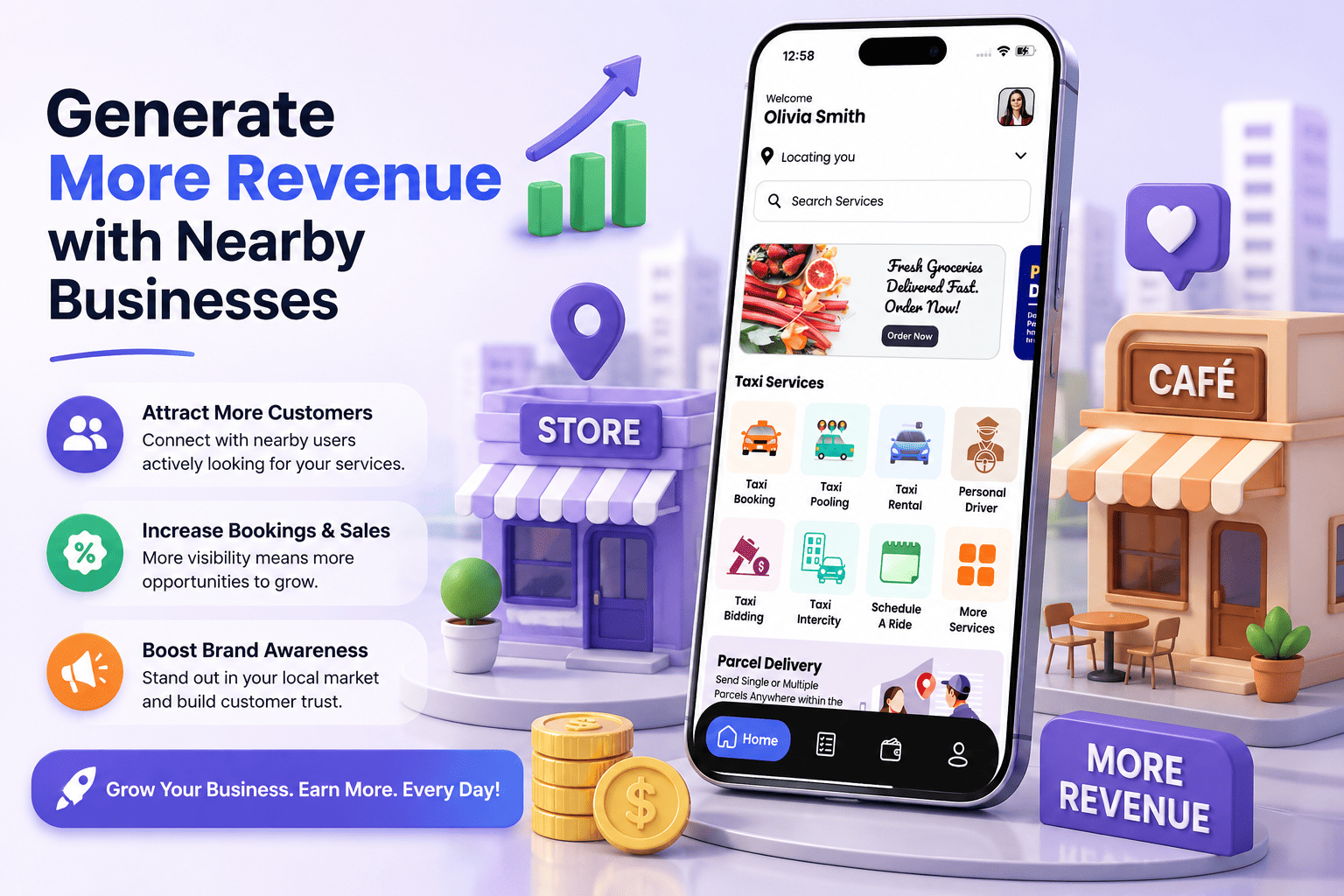
The Nearby Businesses component, a built-in feature inside the ready-made super app, works as a real-time local business discovery feature. Cafes, gyms, salons, spas, restaurants, libraries, malls, and event venues all appear for users who are daily using your app. That daily use is not random app scrolling but using the app with a specific intent.
This kind of intent-driven consumer behaviour is the single most important factor behind the success of the super app.
What Makes the Nearby Businesses Section Worth Paying For
Sponsored listings inside the Nearby Businesses section allow local merchants to pay a premium for better visibility, much like prime storefronts in a physical market. According to Google, about 76 percent of people who search for nearby services on their smartphones visit a related business within a day, representing real consumer behaviour on location-based mobile apps. Your Gojek clone app captures this intent natively, as users browsing the Nearby Businesses section are already looking to buy.
While passively listing local merchants on the platform might seem sufficient, it ignores the actual marketing problems these business owners face, especially since platforms like Meta and Google Ads have become increasingly expensive for local businesses.
A small gym owner in a Tier-2 city trying to reach users within a three-kilometre radius ends up paying ad rates meant for national brands. This gap between what small businesses need and what big platforms offer is exactly where your app’s local advertising model fits.
The admin panel inside the Gojek clone app lets the platform owner manage up to ten business types, which function as ten distinct merchant segments for advertising. Since salons compete for visibility only with other salons and restaurants compete within the food tab, a gym does not have to pay to outrank a spa. This keeps the competition local, relevant, and measurable.
How the Hyperlocal Advertising Model Works
Hyperlocal advertising just means showing ads to people who are physically close to a business, usually within a few kilometers. Your app already does this because the “Nearby Businesses” option uses GPS to see where users are. This lets you make money from local ads without having to write any new code.
1. Setting Up Different Business Levels
The admin panel lets you control which businesses show up first. You can give businesses a basic listing for free, but charge them if they want to be placed at the very top. You do not need to build any new features for this, you just need to decide your prices and start adding merchants.
2. Getting Local Businesses to Join
To get local shops on board, you just show them that people in their area are already opening and using your app. This is much easier to explain than trying to sell them confusing internet ads. Driven by faster mobile internet and smarter GPS features, the “Near me” searches have grown by more than 500% over the past few years and will continue to climb in the coming years.
3. Creating Paid Listings
Paid listings in the “Nearby Businesses” section sit at the top of the screen. You can also make them stand out with banners or verified checkmarks.
Charging businesses by the week or month instead of charging for every click:
- Saves you a lot of work
- Makes it easier for small business owners to know exactly what they will spend
4. Showing Ads Only to the Right Neighborhoods
The app lets you set up map borders to control who sees which businesses. You can use this to show specific ads at specific times. For example, you can make a local club show up on the app only in the evening, and only for users standing in that specific neighborhood who have been looking for food or entertainment.
5. Keeping Customers Coming Back
Businesses that pay for listings can give out special promo codes right inside the “Nearby Businesses” section. This brings more people walking through their front doors. At the same time, it helps you because users will keep opening your app just to find those local deals.
6. Tracking How the Ads are Doing
The admin panel tracks what users tap on. This lets you give business owners a simple report showing how many people saw their listing and clicked on it. When merchants see that the ads actually work, they are much more likely to keep paying you for their spot every month.
Building a Local Network
Making money from ads is great, but the real benefit of the “Nearby Businesses” option is building a network in your city. Every shop that signs up, whether they pay or not, becomes part of this network.
People in smaller cities are starting to use apps to find local shops instead of just searching on Google. When your app becomes the first place locals look before going out, you build a system that keeps making money week after week through listings, promotions, and commissions.
Big ad platforms are making it harder for businesses to track users and run ads. Because of this, local shops are actively looking for new ways to reach customers. Your app knows exactly where users are and what they are looking for, which makes it the perfect alternative for these businesses.
Final Thoughts
The “Nearby Businesses” option, the map rules, and the categories are already built into your app. You just need a plan to use them.
Start by letting local shops list their business for free so they can see how many people are using the app. Once they see the results, you can introduce a paid option for the top spots. Small businesses just want simple, affordable ads that actually work, and your app gives them exactly that.
FAQs
1. How do local businesses benefit from being listed inside a super app?
Listing a local shop in your app puts them right in front of people who are ready to buy. Because users open the app to find something specific, they are much more likely to spend money than someone just scrolling past a random ad on social media.
2. Is a nearby business feature useful in smaller cities?
Yes. In smaller towns, local shops usually do not have many good ways to advertise online. An app that helps locals find nearby shops fills a big gap that social media and larger platforms ignore in smaller markets.
3. What makes local advertising different from regular online ads?
Regular online ads show up based on a user’s age or what they searched for yesterday. Local advertising shows ads based on exactly where the user is standing right now. It catches people who are close by and ready to walk through the door immediately.
4. How do you get local shop owners to pay for ads?
Show them that potential customers are already using your app right down the street. Start by giving them a free listing. Once they see real people finding their shop through the app, they will be much more willing to pay for a better spot at the top of the page.
5. Can you show paid listings without annoying your users?
Yes, as long as the paid spots are actually useful. If you show a user a great local coffee shop right around the corner when they are looking for breakfast, it helps them. It only gets annoying if you show them random, unrelated ads that have nothing to do with what they want or where they are.